|
|
|
amortization.com Ltd. 905-639-0374
|
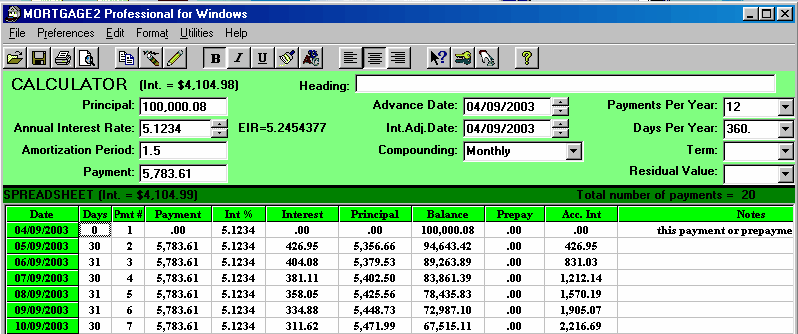
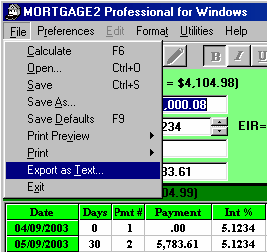
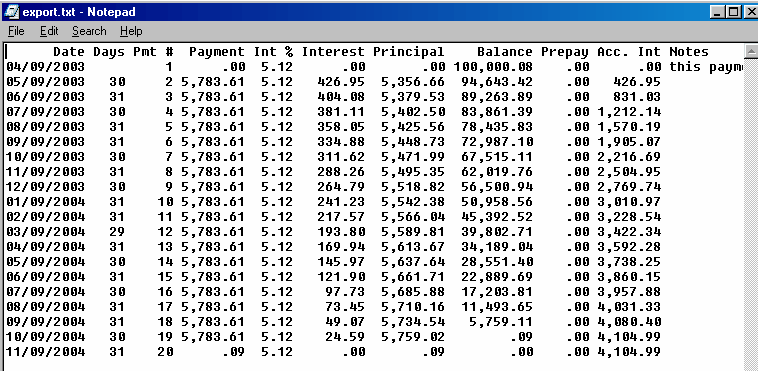
Assume you had a schedule as shown below: Click on the File Menu and choose Export as Text, as shown below: Choose Save or Save as and give it a unique name. The program will automatically apply the extention .TXT to remind you that it is a text file. The text file can be viewed with any word processor as shown below:
|
amortizationdotcom Mortgage Calculator for iPhone Introduction to Canadian and American Mortgages Seminar on prepaying principal (Part A) Seminar on prepaying principal (Part B) Global TV Interview regarding 40 Year Mortgages
Look for this logo on the Apple Store!
|
||||||||||||||||||||||||||
<
Go Back |












 VIDEOS